
Upgrading your Ubuntu-on-Windows install to the app version

Canonical
on 3 August 2017
Our team and Microsoft recently released Ubuntu as a Windows app store application! 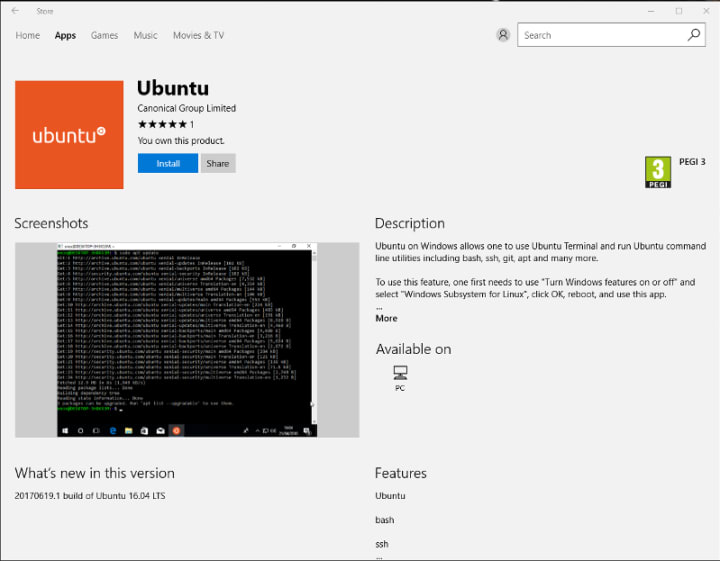 If you toyed with the “bash on Ubuntu on Windows” version before and would like to try the latest and greatest, read on!
Saving your data
If your “bash on ubuntu on windows” environment has some data you’d like to keep, make sure you back it up now. The uninstall process will nuke everything.
Uninstall the old way
This is relatively simple. Opening a command line (cmd.exe) terminal and typing
lxrun /uninstall
will destroy your previous environment.
Installing the new way
To find the app in the Microsoft store, just type “Ubuntu” in the search bar. Click install. Voilà!
Talk to us today
Interested in running Ubuntu in your organisation?
Newsletter signup
Related posts
Sovereign clouds: enhanced data security with confidential computing
Increasingly, enterprises are interested in improving their level of control over their data, achieving digital sovereignty, and even building their own...
Supporting more identity providers on Ubuntu with the new Authd OIDC broker
Today we are announcing the general availability of the new generic OpenID Connect (OIDC) broker for Authd. With enterprises needing to centralise access...
Cloud-native Android™ infotainment: your CI pipeline shouldn’t depend on hardware
More and more often, infotainment systems are being developed and delivered like software, yet often they are still tested and validated using...